Showing posts with label Volvo VIDA 2015A. Show all posts

2019/11/05

Volvo DiCE VIDA 2015A vs. VXDIAG VCX NANO Volvo 2014D

Look here: the two popular Volvo diagnostic and programming tools: Dice/VIDA cheap china clone and Allscanner VXDIAG VCX NANO for Volvo

Now, we’re gonna to talk which is better

Volvo diagnostic toolDiCE/VIDAVXDIAG VCX NANO Volvo
Image 
volvo-dice
 
vxdiag-nano-2014d
Price$135.00$59.99
Original/cloneChina cloneOriginal
Allscanner made
Latest softwareVIDA 2015AVIDA 2014D
Operating systemWindows 7 32 bit: tested!
Windows XP: need luck
Windows 8: need luck
Windows 10: need luck
MacOS: need luck

Windows 7 32 bit: tested!
Windows XP: need luck
Windows 8: need luck
Windows 10: need luck
MacOS: need luck
LanguageItalian/ English/ French/ Portuguese/ Swedish/ Japanese/ Korean/ Dutch/ Russian/ Turkish/ Thai/ Traditional Chinese/ Simplified ChineseItalian/ English/ French/ Portuguese/ Swedish/ Japanese/ Korean/ Dutch/ Russian/ Turkish/ Thai/ Traditional Chinese/ Simplified Chinese
Vehicle coverage1999-2017
(only some 2017 models covered, but most 2015 cars covered)
1999-2014
Obd2 diagnosisYesYes
ProgrammingYesYes

Conclusion:
Dice VIDA 2015A covers more Volvo cars and it works perfectly for most cars, even some new cars made in the year 2019. but there are different Dice china clone, pls confirm that the one you have is a decent one like http://www.obdii365.com/wholesale/vida-dice-2015a-diagnostic-tool-for-volvo.html (the best-quality clone)
Vxdiag VCX Nano Volvo uses its own firmware and runs quicker. But it can works with 2014D only!


Reference:
Volvo VIDA 2015A download:

Volvo VIDA windows 7 install: (100% success)

Volvo VIDA 2015A installation requirement:

Volvo VIDA log in:

Volvo VIDA how to program a module:

Volvo VIDA – What’s fun:

Volvo VIDA how to update:

Volvo VIDA how to crack:
A couple of weeks ago the car suffered a spurious DIM fault which left me with a SRS alarm standing. Unsure of what faults may be laying in wait and in order to clear the SRS alarm, I ordered a VIDA/DICE unit from EBAY.
I know that VIDA/DICE is a big issue on the forum and has been covered many times, but I wanted to put down my experience while it is still fresh in my mind, and that it may help any out there who are struggling or are wondering whether to get a unit or not.
Once I got the VIDA/DICE unit I set about looking at the numerous posts that had been put on various forums, and I realised immediately that this was not going to be as easy as most software / hardware you buy off the shelves. However. my first challenge was to find a laptop with Win 7 professional on it. Luckily my son had a large desktop / laptop with it on and he let me do a fresh install and update. I then followed a YOUTUBE video for installation. (No instructions came with the device at all).
Following along, I got VIDA 2014D installed OK. I then rushed out to my car to try it out. When I plugged the DICE into the computer it searched for the drivers and eventually recognized the device. I then started VIDA, but it would not see the DICE unit. Just a box with a Red X in it.
OK so back to the forums to see what people did about that. I must have tried innumerable combinations of things and I was about to give up. As a last ditch effort I dug out an old Toshiba Laptop I had. This only had Vista Home Premium on it, but it was a 250GB drive, 4GB of RAM and an Intel Core DUO processor (P8600) which was way below the spec of my sons laptop, but adequate for VIDA. I searched on the WEB for the cheapest WIN 7 professional license I could buy and got one from Software GEEKS for £19.
I loaded the 32 BIT version as this is all the laptop could cope with. Followed some of the tips I had picked up on the forums, and loaded VIDA back up again. I went out this morning in the pouring rain to try and connect it to the car – hey presto – it worked. I have checked and cleared down the faults, including the SRS alarm. I am a very happy man. So below is the setup I used which worked for me and I hope it helps someone else out there who has been struggling.
1. I purchased a VIDA / DICE unit with the latest 2014D software. The VIDA unit has multicoloured lights on it. I had read on the forums that there were some out there with only Blue Lights and seemed to give problems.
2. Use WIN 7 professional 32 Bit and let windows do a full update (takes ages). You will certainly need to ensure that service pack 1 is installed. When mine was loaded and updated, it only had Internet Explorer 8 on it. I had to download and install IE9. VIDA 2014D would not load with only IE8 in place.
3. Download the latest version of JAVA
4. At this point I created a restore point in windows, so I could revert to this point should I have problems installing VIDA.
5. I then turned off User Account Control (UAC) and disabled the Windows Firewall.
6. Check that the only version of .net that you have is .NET 3.5. I had read that if you are on version 4 VIDA doesn’t like it. (You can check the version in the registry editor in Windows)
7. I then loaded VIDA following this Youtube video https://youtu.be/b5XMXqsSlHw
  1. Once VIDA was proven to work, I then took the laptop out to the car and connected the DICE unit to the OBD2 socket and plugged it into the laptop. Windows searched for the drivers and installed them. When I opened VIDA up, I needed to enter all the car details in the Vehicle Profile section. This time the page also showed my DICE unit in the DICE configuration Box. With the vehicle details entered, the Diagnostics TAB activated and as long as the Ignition is in the II position, it will read all the onboard computers.
    Why didn’t this work for me the first time I tried it? I think it might be that VIDA / DICE didn’t like the 64Bit version of Win7 Pro, although others may have got it working on that platform. I also think I got in a mess with the .net 3.5 vs the .net 4.5.
    My thanks to all those on various Forums who have posted up their solutions. Most are for earlier versions of VIDA, and I didn’t see many for the 2014D version that I bought.
    It has been a long week messing around with this, but I am currently walking on air.
    One final tip – while messing around with VIDA on the car the ignition is on. I would put the battery charger on while in this state as the battery soon runs down. I’m currently waiting for it to charge up so I can start the car!!!
    Volvo VIDA 2015A where to:


2019/09/01

Volvo VIDA 2015A Computer Requirements

Volvo VIDA 2015A computer requirements:
  • VIDA requirements for all vehicles EXCEPT the new 2016 XC 90*:
  • Windows 7 Professional/Enterprise 64 bit or Windows 10 Professional 64 bit.
  • VIDA requires Internet Explorer 11 or later.
in detail…
volvo-vida-2015a-operating-system-1

volvo-vida-2015a-operating-system-2
Internet connection
An internet connection must be available at all workshops. The internet connection is used for the communication between the VIDA work stations and the VIDA central servers.

Recommended Specification for VIDA Workstation
It is the recommendation of Volvo Cars Customer Service that computer equipment bought for VIDA should be possible to upgrade. If it is necessary to increase computer performance, it should be possible to increase RAM and replace hard drives easily. Furthermore, purchasing more memory will result in better performance since the use of virtual memory is minimized.
VIDA will be delivered as a desktop application replacing the existing VIDA on Web as well as VIDA All in One. Users of VIDA on Web and VIDA All in One will need to execute an installer package that installs the necessary software components in their workstations.
ITEMRecommended specification for VIDA used for diagnostics and SWDL
ProcessorCore i5 and above1
Memory4 GB or more
Local free disc space10 GB2
Connections2 x USB 2.0 or higher3
Operating SystemWindows 7 Professional/Enterprise (64 bit) or Windows 10 Professional (64 bit).4
File systemNTFS
Display resolution
Aspect RatioMinimum resolution
16:951280 x 720
16:101280 x 800
Chrome, Mozilla and Firefox browsers are not supported and will not work correctly with VIDA.
  1. Names of processors are frequently changed. These are examples of what to use.
  2. This is the disc space that should be available before VIDA is installed. The recommendation is based on the increase of used disk space over three years. If you have other applications, allow extra space for these according to their requirements.
  3. Additional USBs may be needed for other equipment, such as mouse and keyboard.
  4. Windows Update must be enabled and all available updates from Microsoft need to be installed.
  5. The application screen is optimized for wide screen format. However, the application design is “fluid” based, i.e. the application screen stretches to completely occupy available screen space. This makes it possible to use smaller screens but bear in mind that it can be difficult to read wiring diagrams and other features that contain a lot of information.
Browser setting:
To allow us to keep track of your order during the order process you must:
  1. Allow temporary “cookies” to be accepted on your computer
  2. Enable communication with secure servers
A cookie is a temporary file stored by the bookstore on your computer. It contains brief information about your order. Volvotechinfo uses Session Cookies, so they will disappear from your computer when you close your Internet browser, or sooner. Enabling communication with secure servers allows the order information you send to be encrypted so that only the bookstore can read it. The bookstore will try to alert you to possible problems with your settings. If you are alerted, or if you experience problems using Volvotechinfo, please check and adjust these settings.

ETHERNET CONNECTIVITY REQUIREMENTS
VDS protocol-based vehicles can be connected directly to a VIDA workstation with a standard Ethernet cable using network connectors for a peer-to-peer connection for diagnostics and software download.
The following components are required:
  • Ethernet network input for each VIDA workstation. It can either be a PCI network card or a USB Ethernet adapter.
  • Ethernet cable type CAT5, CAT5e or CAT6. There is a Volvo special tool available with part number 9513095. This cable tolerates a cold environment.

CONFIGURATION SPECIFICATIONS
Network specifications
The network related changes specifications are specified below.

Central systems
If a firewall is used, make sure that port 80 for http and port 443 for https are open.

Network cable type
Twisted-pair cables (CAT5, CAT5e, CAT6) shall be used for network connectivity.

Universal Resource locators
VIDA will use several URLs- all will be on *.volvocars.biz. Make sure that *.volvocars.biz is not blocked by a proxy or firewall.
ServiceURLPort
VIDA Installation Packagehttp://vidainstaller.volvocars.biz/client-installer80
VIDA Adminhttp://vidaca.volvocars.biz/AdministrationWeb80

Additional software requirements
There are different plug-ins that are needed for VIDA to work properly, these are described below.
lsoView
IsoView is an image viewing plug-in, automatically started together with VIDA. IsoView is included in the VIDA installation and there is no additional license fee.

Adobe Acrobat Reader
Adobe Acrobat Reader is included in the VIDA installation.

Microsoft Windows user account
In order to install VIDA, the Microsoft Windows user account has to be set to administrator.

NOTE
It is not possible to run VIDA logged in to the operating system with a guest account. Try to avoid having a domain policy that will override the normal rights for the supported user accounts. Some restrictions might make VIDA not work. For example a user must have right to change the registry since VIDA requires that when adding a DiCE. It is strongly recommended that all VIDA users log in as administrators with full admin rights.

This is info quoted from the official site: https://www.volvotechinfo.com/
The requirement is used for the original VIDA software. Maybe work for the crack also.

If you have VIDA crack version like
This is your requirement:
  1. Operating system: Windows 7 Professional 32 bit or 64 bit 
    2. Internet Explorer: 11 or newer
    3. Computer memory: core i5, CPU 4G RAM or up
    4. C: space: must have 60GB
    5. Location: software must install on C://
    6. Others: It must be NTFS format

It’s confirmed to work no issue on Windows 7 32 bit:

2019/04/25

Volvo VIDA 2015A Tested Version Download and install

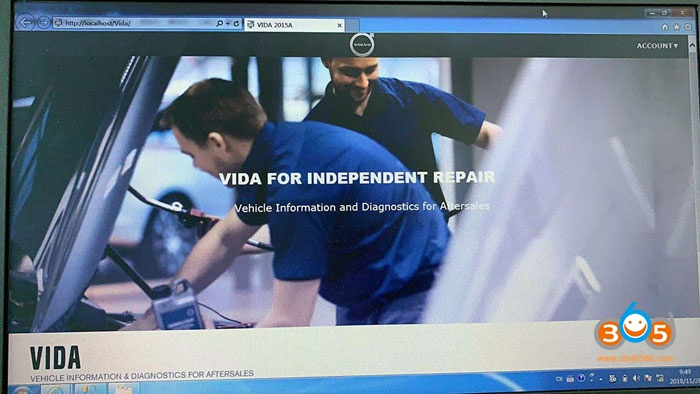
Latest VIDA 2015A has been tested and verified working 100% by obdii365.com engineer. Where to download Volvo VIDA 2015A software:
volvo-vida-dice-2015a-1
Security: 100% safe to use
Software Version: 2015A
Cars: Volvo cars from 1999 to 2017
Language: English, Chinese
Compatibility: 100% confirmed to work with Volvo Dice china clone

Computer Requirement:
1. Operating system: Windows 7 Professional 32 bit or 64 bit
2. Internet Explorer: 9 or newer
3. Computer memory: 2G RAM +
4. C: space: must have 40GB
5. Location: software must install on C://
6. Others: It must be NTFS format

What does VIDA 2015A means?
If VIDA 2014D lists 2015 and 2015A cars.
2015A introduced Drive-E cars.
2014D will not do anything for 2016 cars like the XC90 because they introduced Ethernet as a connection option in the car. You won’t be able to get away with sticking DICE on a 2016 carry over model either that still uses an OBD2 interface. Only subscriptions to VIDA 2015 which is all online will help you.

“VIDA 2015 is 100% internet based, which means you will always have the most current information at your fingertips.”
Should be
“VIDA 2015 is 100% the end of hacks, and might be the end of shadetree Volvo diagnosis, depending on how high we price it.”

Volvo VIDA 2015A released notes:

WELCOME TO VIDA 2015
Welcome to the new VIDA. Several years of development have been put into this new workshop application. We have incorporated feedback from our users, as well as made changes to accommodate our future vehicles. VIDA 2015 has an extensive HELP section which can be reached at any time simply by hitting the “F1” button on your keyboard.
VIDA 2015 is 100% internet based, which means you will always have the most current information at your fingertips. Changes and corrections can be applied with a much shorter lead time.
Volvo Standard Time (VST) information is integrated into VIDA.
Starting with XC90, fault tracing will be displayed and shown in a ranked order.
Wiring Diagrams will be an integrated part of the repair process.
So install VIDA 2015 and explore the great changes and improvements of this new workshop application.

VIDA 2015A installation help:
User Name: admin or 1
Professional tech support by www.obdii365.com

Dice Vida 2015 features:
1. DICE – Diagnostic Communication Equipment, is a tool that used together with VIDA all-in-one to communicate with the vehicle. Communication makes diagnosis and troubleshooting the vehicle possible, as well as downloading software.
2. DICE has an integrated CARB cable, which is connected to the vehicle’s diagnostic socket. When connecting to the vehicle, DICE is powered as long as the battery is charged.
3. DICE has a folding hook that is designed for hanging the unit from one of the grab handles in the vehicle for example.
4. DICE is equipped with four status LEDs that indicate the status of the software, the USB and Bluetooth communication and the interface to the car.
5. At one end of the unit, there is a DC input where a battery cable or adaptor(12V) can be connected. The adaptor is used when upgrading and troubleshooting the DICE.
6. In the other end of the unit, there is a removable cover that could be removed by turning the screw on the cover.

Volvo Vida Dice functionality:
1. Administration – General information, design and function
2. Standard components, service materials and consumables. General information (among other things, control modules, SRS, general safety)
3. service and maintenance
4. Engine with mounting and equipment
5. Electrical system
6. Power transmission
7. Brakes
8. Suspension and steering
9. Springs, shock absorbers and wheels
10. Body and interior – among other things, diagnostics, design and function, repair and spare part information
11. Other – special vehicles, e.g., ambulances, police cars. Components that deviate from standard.

VIDA 2015A troubleshooting images:
volvo-vida-dice-2015a-2

volvo-vida-dice-2015a-3

volvo-vida-dice-2015a-4

volvo-vida-dice-2015a-5
source: